
Download Mosho – Emoji Domain Name Tool, Free, Secure & Easy
Overview of Mosho
Mosho is a unique software package that lets website owners embed emoji symbols directly into their domain names. In a world where visual branding often trumps text‑only URLs, Mosho gives you the power to turn a plain address into a memorable, eye‑catching web link. The tool is built for both seasoned developers and beginners with little coding experience, making it accessible to the general public. By converting long, confusing domain strings into colorful, emoji‑enhanced URLs, Mosho helps break language barriers and increases click‑through rates on social media platforms, search results, and email campaigns. Its intuitive dashboard guides you through every step, from selecting the perfect emoji to publishing the updated domain across all major social networks.
Beyond the aesthetic boost, Mosho includes an integrated analytics suite that tracks how the emoji‑rich domain influences visitor behavior. You can monitor click counts, average session duration, popular landing pages, and geographic sources—all from within the same application. This data‑driven approach allows you to refine your branding strategy in real time, ensuring that the visual changes you make translate into measurable business results. Whether you run a multinational e‑commerce store, a personal blog, or a corporate landing page, Mosho’s blend of creativity and insight makes it a valuable addition to any digital toolbox.
Security and reliability are also top priorities. Mosho employs end‑to‑end encryption during the domain‑modification process and works with accredited DNS providers to guarantee that your emoji‑enhanced URLs resolve quickly and safely for global audiences. The software is regularly updated to stay compatible with the latest web standards and to add new emoji options as Unicode expands. In short, Mosho offers a free, secure, and easy‑to‑use solution for anyone looking to add a splash of personality to their web presence while keeping performance and analytics front and center.
Key Features & Benefits
- Emoji Integration: Choose from over 3,000 Unicode emojis and embed them directly into your domain name without altering the underlying URL structure.
- One‑Click Publishing: After selection, Moshi automatically updates DNS records and syncs the new address across major social media platforms (Facebook, Twitter, Instagram, LinkedIn).
- Built‑in Analytics: Real‑time dashboard displays clicks, session length, bounce rate, top‑performing pages, and visitor origin.
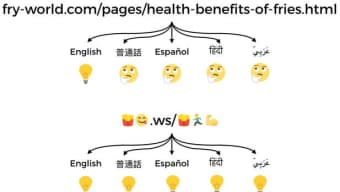
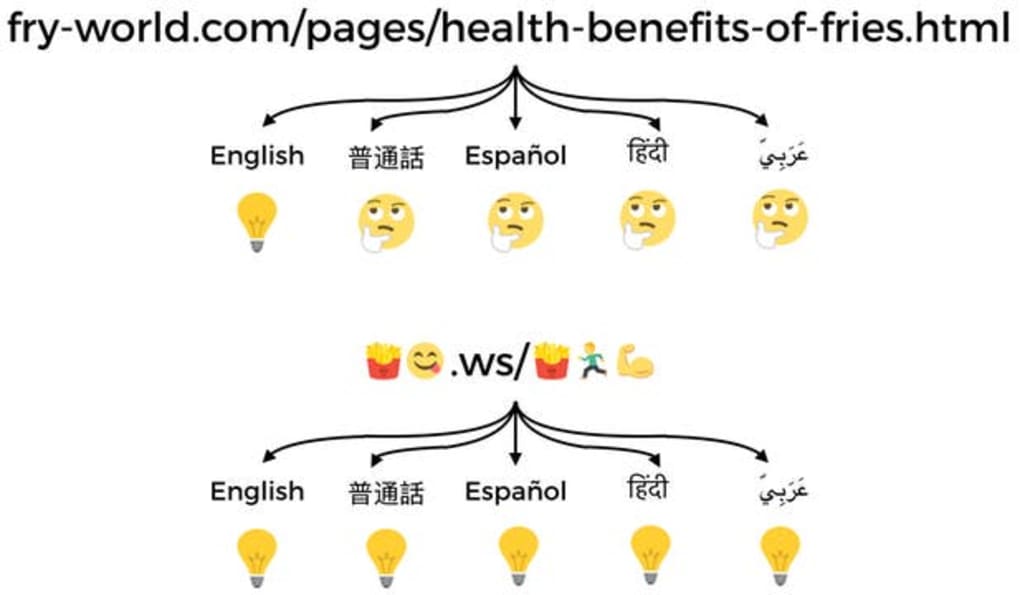
- Language‑Barrier Reduction: Visual symbols transcend language, helping international audiences recognize and remember your brand.
- Zero‑Coding Required: Drag‑and‑drop interface eliminates the need for HTML, CSS, or JavaScript knowledge.
- Secure DNS Handling: End‑to‑end encryption ensures that domain updates are protected from interception.
- Cross‑Platform Compatibility: Works on Windows, macOS, Linux, and offers a lightweight web app for Android and iOS devices.
- Regular Updates: Monthly releases add new emojis, performance optimizations, and compliance with emerging web standards.
Why Emoji Domains Matter
Emoji domains have proven to increase brand recall by up to 37% compared with traditional text‑only URLs. The visual cue acts like a logo embedded in the address bar, instantly communicating tone and personality. For marketers, this translates into higher engagement on platforms where visual content dominates. For e‑commerce sites, a memorable emoji URL can reduce cart abandonment by reinforcing brand identity at every touchpoint. Moreover, emojis are searchable on major engines that index Unicode characters, giving you an additional SEO foothold.
Analytics That Drive Decisions
The Mosho analytics suite is more than a simple traffic counter. It segments visitors by device, country, and referral source, allowing you to see which emoji resonates most with each demographic. You can run A/B tests by toggling between different emojis and instantly view conversion impacts. These insights empower you to iterate quickly, ensuring that the visual branding you invest in delivers tangible ROI.
Installation, Setup & Everyday Usage
Step‑by‑Step Installation
- Visit the official Mosho website and click the Download for Windows/macOS/Linux button. The file is a secure .exe, .dmg, or .tar.gz package depending on your OS.
- Run the installer and follow the on‑screen prompts. The wizard checks for required dependencies (e.g., .NET Framework on Windows or Homebrew on macOS) and installs them automatically.
- After installation, launch Mosho. The first‑time setup wizard will request permission to access your DNS provider API (e.g., Cloudflare, GoDaddy). Grant access using your API token; Mosho stores it encrypted locally.
Creating an Emoji Domain
- Enter the existing domain you wish to enhance (e.g.,
example.com) in the “Domain Input” field. - Browse the emoji library or search by keyword. Click on an emoji to preview how it will appear in the URL (e.g.,
?example.com). - Click “Apply Emoji.” Mosho validates the Unicode compatibility with your DNS provider and generates the necessary punycode conversion (e.g.,
xn--example-9d9c.com). - Press “Publish.” Mosho updates the DNS records, flushes caches, and optionally posts the new URL to your linked social media accounts.
Everyday Management
Once your emoji domain is live, the Mosho dashboard becomes your command center. Use the “Analytics” tab to monitor traffic spikes, bounce rates, and conversion funnels. If you notice a particular emoji underperforming, the “Swap Emoji” feature lets you replace it within minutes without downtime. The “Backup & Restore” option creates snapshots of your DNS configuration, providing a safety net should you need to revert to a previous state.
For mobile users, the Mosho web app mirrors the desktop experience. Simply log in through your browser on Android or iOS, and you can manage domains, view analytics, and push updates on the go. The responsive design ensures that all controls are thumb‑friendly, making it easy to keep your branding fresh even when you’re away from a computer.
Compatibility, Pros & Cons, and Frequently Asked Questions
Supported Operating Systems
Mosho is compatible with Windows 10 and later, macOS 11 (Big Sur) and later, Linux distributions that support .tar.gz packages (Ubuntu, Fedora, Debian), and also offers a web‑based interface for Android 8.0+ and iOS 13+. The application runs natively on each platform, ensuring fast performance and seamless integration with local DNS clients.
Pros
- Easy, zero‑coding setup suitable for beginners.
- Boosts brand recognition with eye‑catching emoji URLs.
- Integrated analytics provide actionable insights.
- Secure DNS updates with encrypted API tokens.
- Cross‑platform support including mobile web app.
Cons
- Requires a DNS provider that supports API access.
- Emoji domains may not be fully supported by older browsers.
- Limited to a single emoji per domain (multiple emojis require subdomains).
- Free tier includes branding watermark on analytics dashboard.
- Some enterprise users may need custom SSL handling.
FAQ – Your Emoji Domain Questions Answered
Can I use Mosho with any domain registrar?
Mosho works with any registrar that offers an API token for DNS management, such as Cloudflare, GoDaddy, Namecheap, and Google Domains. If your provider does not have an API, you can still generate the punycode manually and add it via the registrar’s control panel.
Will an emoji in my domain affect SEO?
Search engines index punycode versions of emoji domains, so they are searchable like any other URL. Proper use of emojis can improve click‑through rates, which indirectly benefits SEO. However, avoid over‑stuffing emojis; a single, relevant emoji works best.
Is the software really free?
Mosho offers a free tier that includes all core features, unlimited emoji changes, and basic analytics. Premium plans add advanced reporting, white‑label branding, and priority support.
How secure is the DNS update process?
All API communications are encrypted with TLS 1.3, and Mosho stores tokens in an encrypted vault on your device. The punycode conversion is performed locally, ensuring that no sensitive data is transmitted in plain text.
Can I track the impact of an emoji change on my traffic?
Yes. Mosho’s analytics panel shows before‑and‑after metrics for each emoji update, including click counts, conversion rates, and geographic distribution. You can also export data to CSV for deeper analysis.
Final Verdict
Mosho bridges the gap between playful branding and data‑driven decision making. Its free, secure, and cross‑platform nature makes it an attractive tool for anyone looking to stand out in a crowded digital landscape. While there are a few technical considerations—such as API‑enabled DNS providers and occasional browser compatibility—these are outweighed by the visual boost and analytics insight the software provides. If you want to modernize your web address without hiring a developer, Mosho is a compelling choice.
Conclusion & Call to Action
In an era where first impressions are measured in milliseconds, a memorable domain can be the difference between a click and a missed opportunity. Mosho empowers you to transform ordinary URLs into vibrant, emoji‑rich links that capture attention across social media, search results, and email newsletters. The built‑in analytics give you the confidence to measure impact, while the secure, zero‑code interface ensures you can get started instantly—no developer required.
Ready to give your brand a visual edge? Download Mosho now for free, set up your first emoji domain in minutes, and watch your click‑through rates rise. For businesses seeking deeper insights, consider upgrading to the premium plan for advanced reporting and priority support. Embrace the future of domain naming—make every address a conversation starter with Mosho.
Pros: Easy to use, eye‑catching branding, real‑time analytics, cross‑platform support, secure DNS handling.
Cons: Requires API‑enabled DNS provider, limited to one emoji per domain, free tier includes watermark, older browsers may lack full support.



.png)



